For worship teams and the whole church

Your songs, your team and your Sunday, in one place

WorshipPro brings a shared ChordPro song library, service planning and team schedules, sheet music and a band on iPad, and presentation with a stage display together in one account — so your church can stop juggling three or four separate apps.

Web, iPhone & iPad, Android, Mac, Windows, LinuxDownload on the App Store

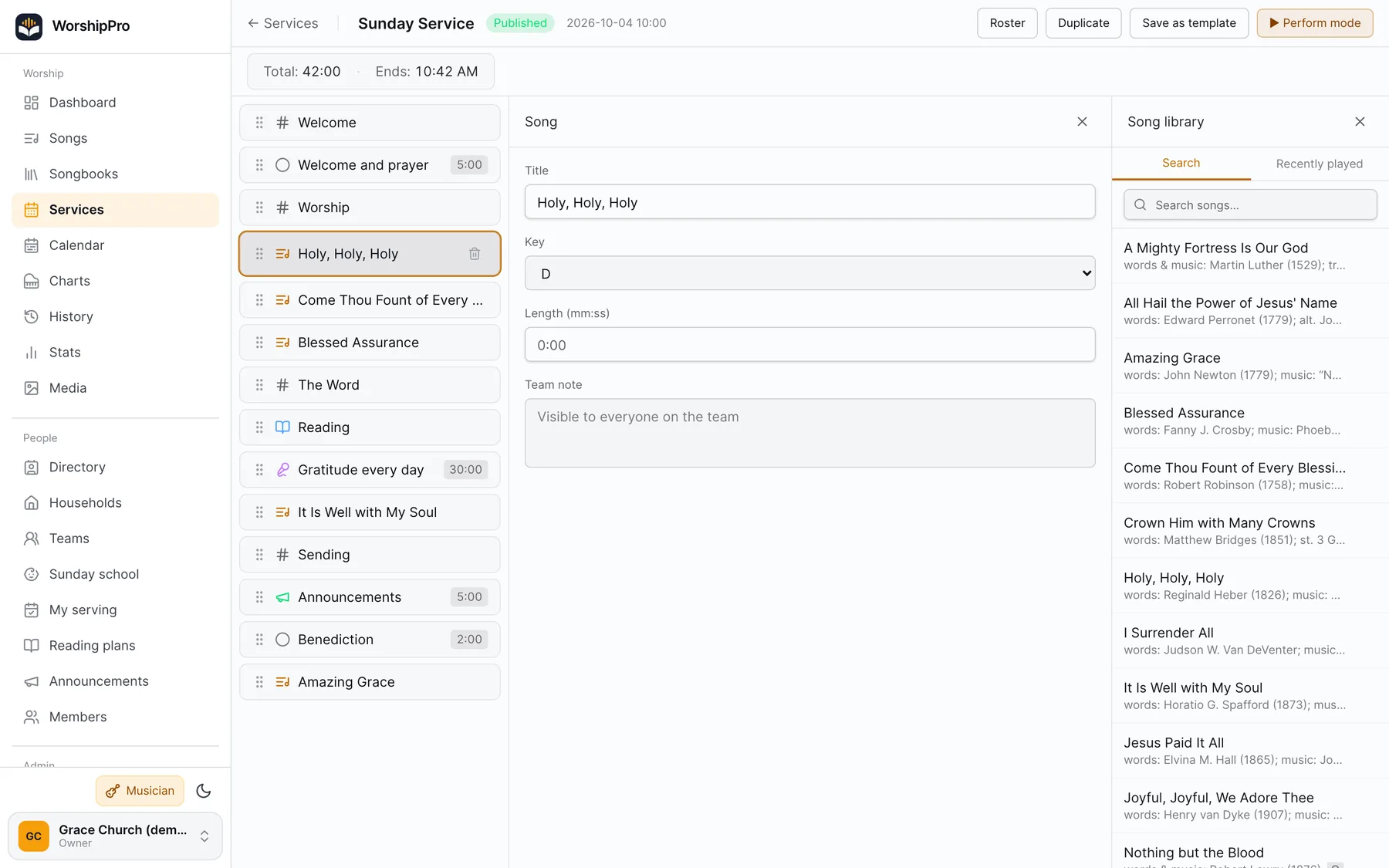
A service plan in the web app: order of service with songs, lengths and the song library alongside
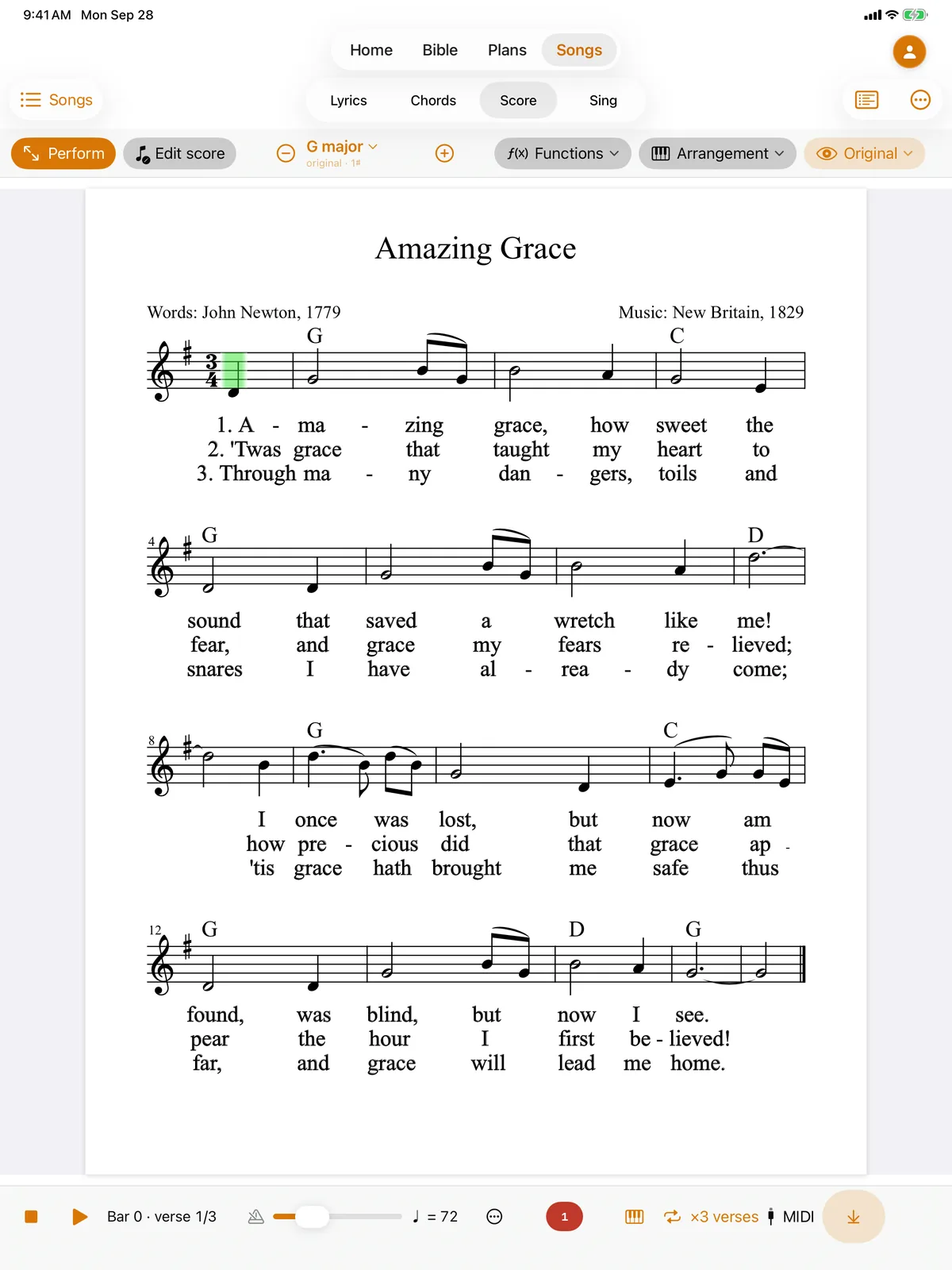
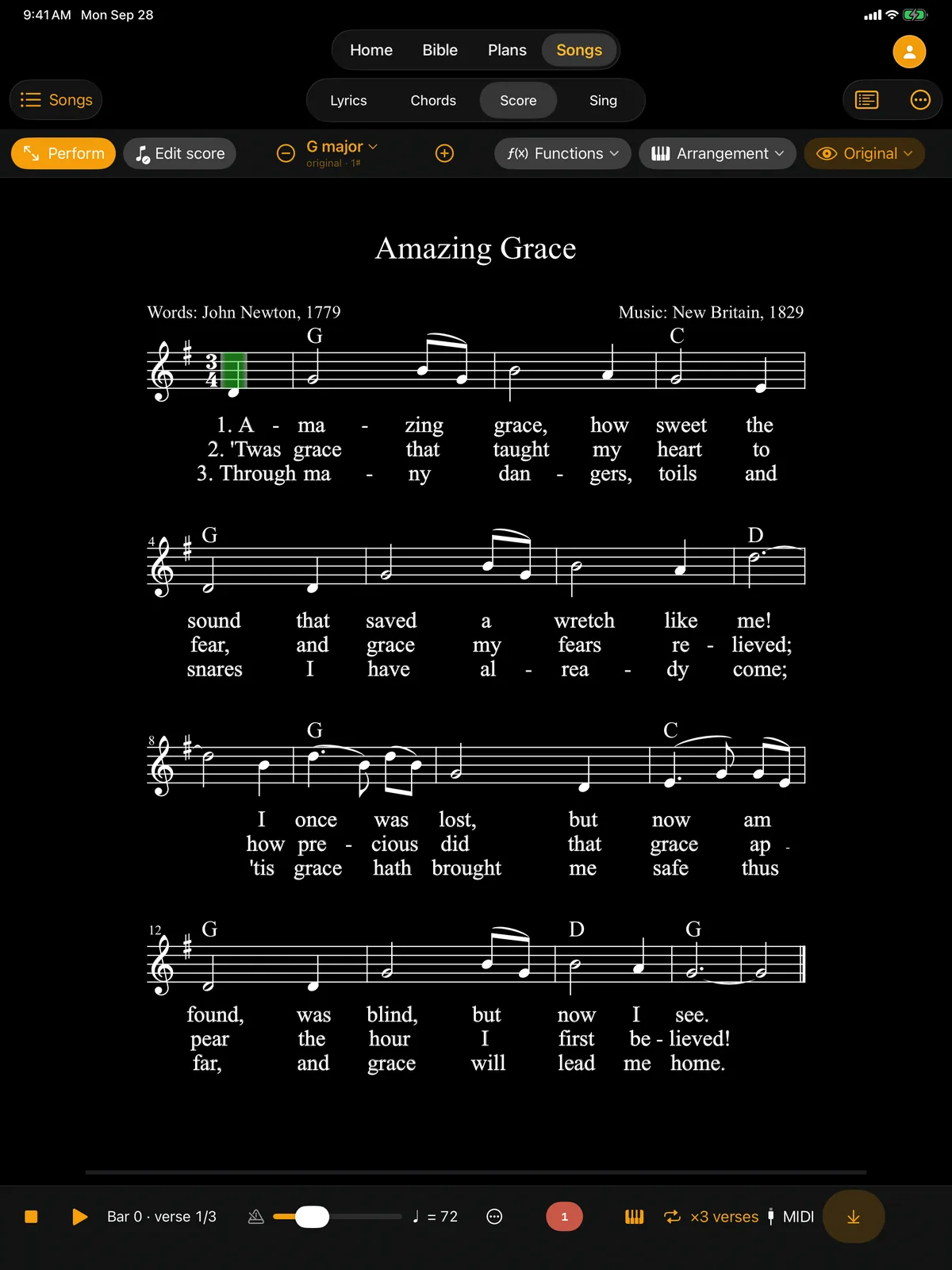
Sheet music for “Amazing Grace” on an iPad

All the apps, one account

Every screen on Sunday, connected

Web

Plan services, schedule teams, keep the song library and run your church from any browser.

iPhone, iPad & Android

Lyrics, chord charts and four-part sheet music on the music stand — with a score editor and a band that plays along. On Android: lyrics and chords, service plans and the Bible.

Desktop

Put lyrics, Scripture and media on the main screen, with a stage display for the band and your phone as a remote.

See it in action

Real screens, real songs

These are screenshots from the apps, not mockups. This is an ordinary Sunday: from a song in the library, through the service plan and sheet music on the stand, to lyrics on the projector.

Song library · web

One song, and from it lyrics, chords and slides

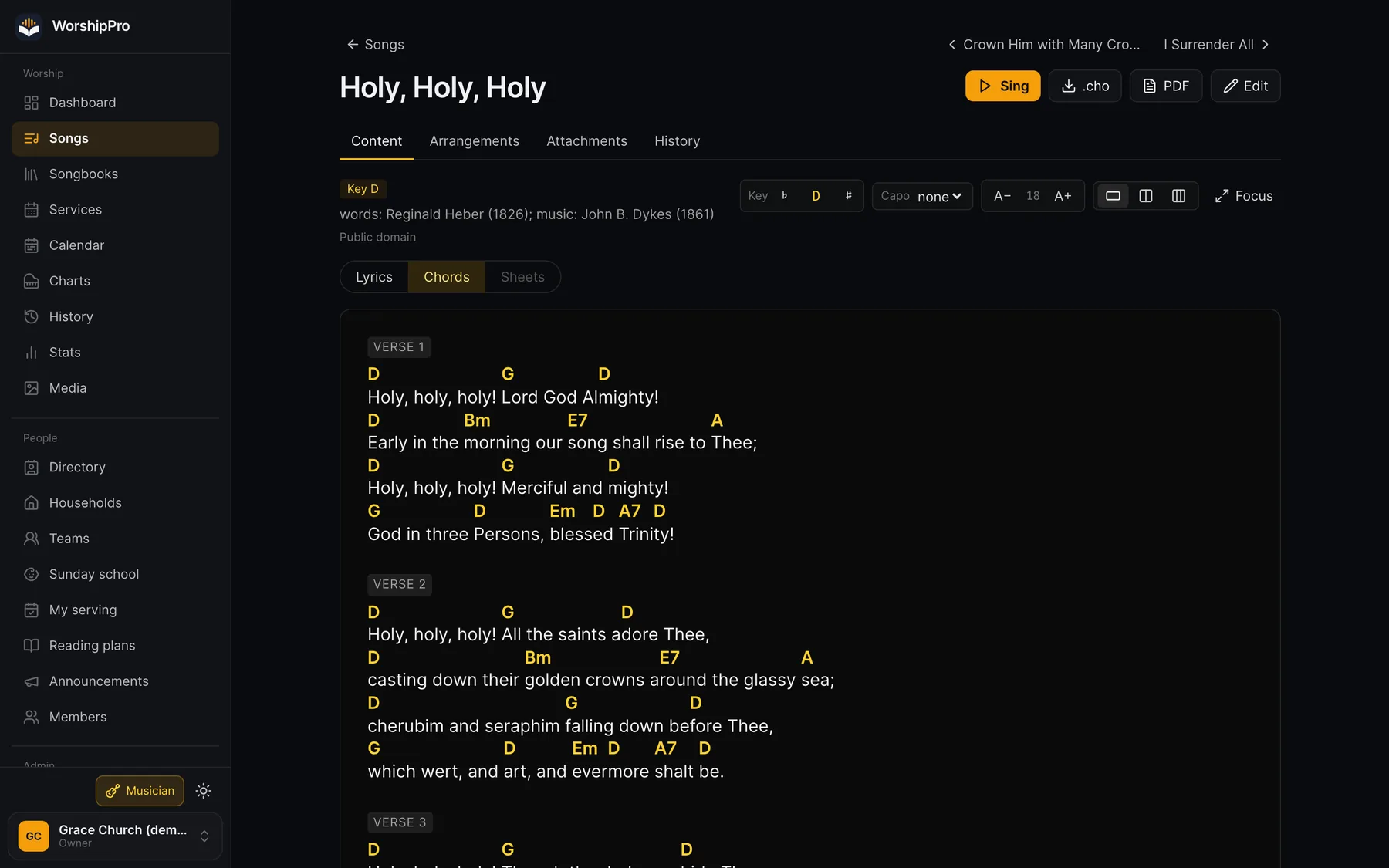
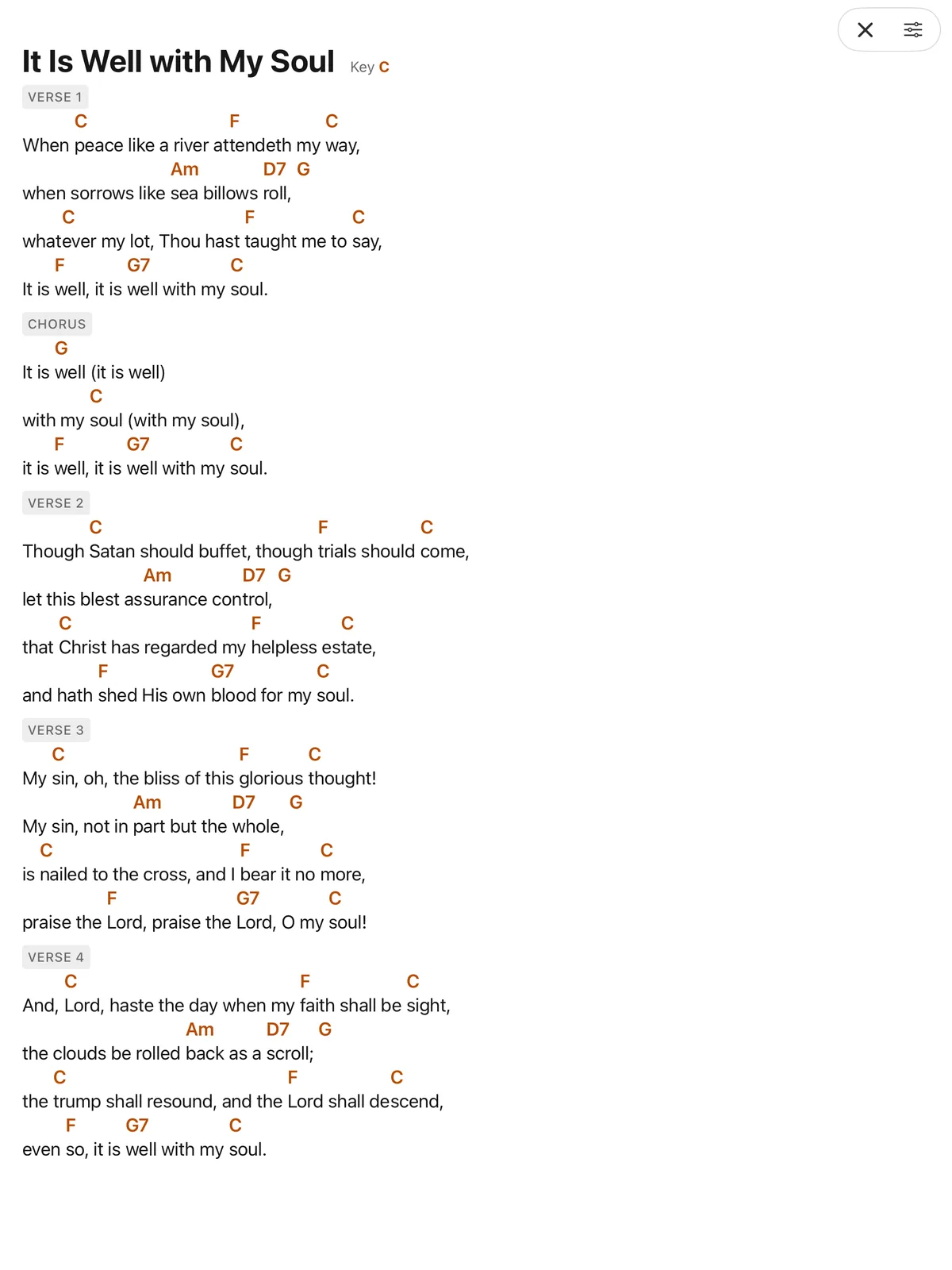
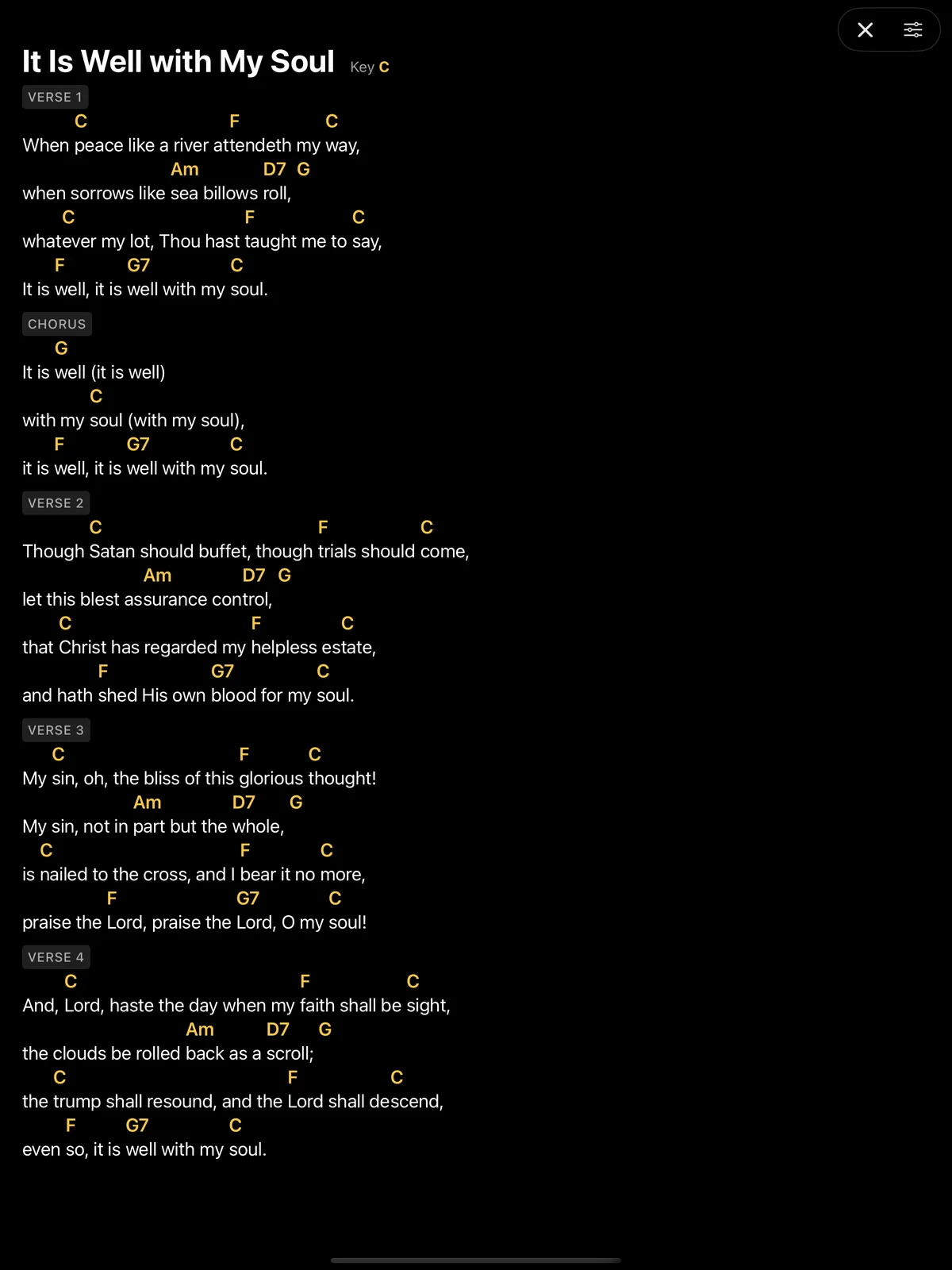
You write each song once, in ChordPro: lyrics with chords above the syllables, verses, chorus and key. That single source produces chord charts for the band, clean lyrics for the singers and slides for the projector. Fix a typo or a chord and it's fixed everywhere, so there are never three versions of the same song in three programs.

Example

“Holy, Holy, Holy” is written in D. Your guitarist prefers a capo: they set capo 2 and see C shapes, while the rest of the band still plays in D. Meanwhile the singers see just the lyrics, in a two- or three-column layout.

  • Transpose to any key and set a capo
  • Search by title, lyrics, author or songbook number
  • Song form, revision history, attachments and export to .cho and PDF
  • Import from OpenLP, OpenSong, SongSelect, ChordPro and ProPresenter 7
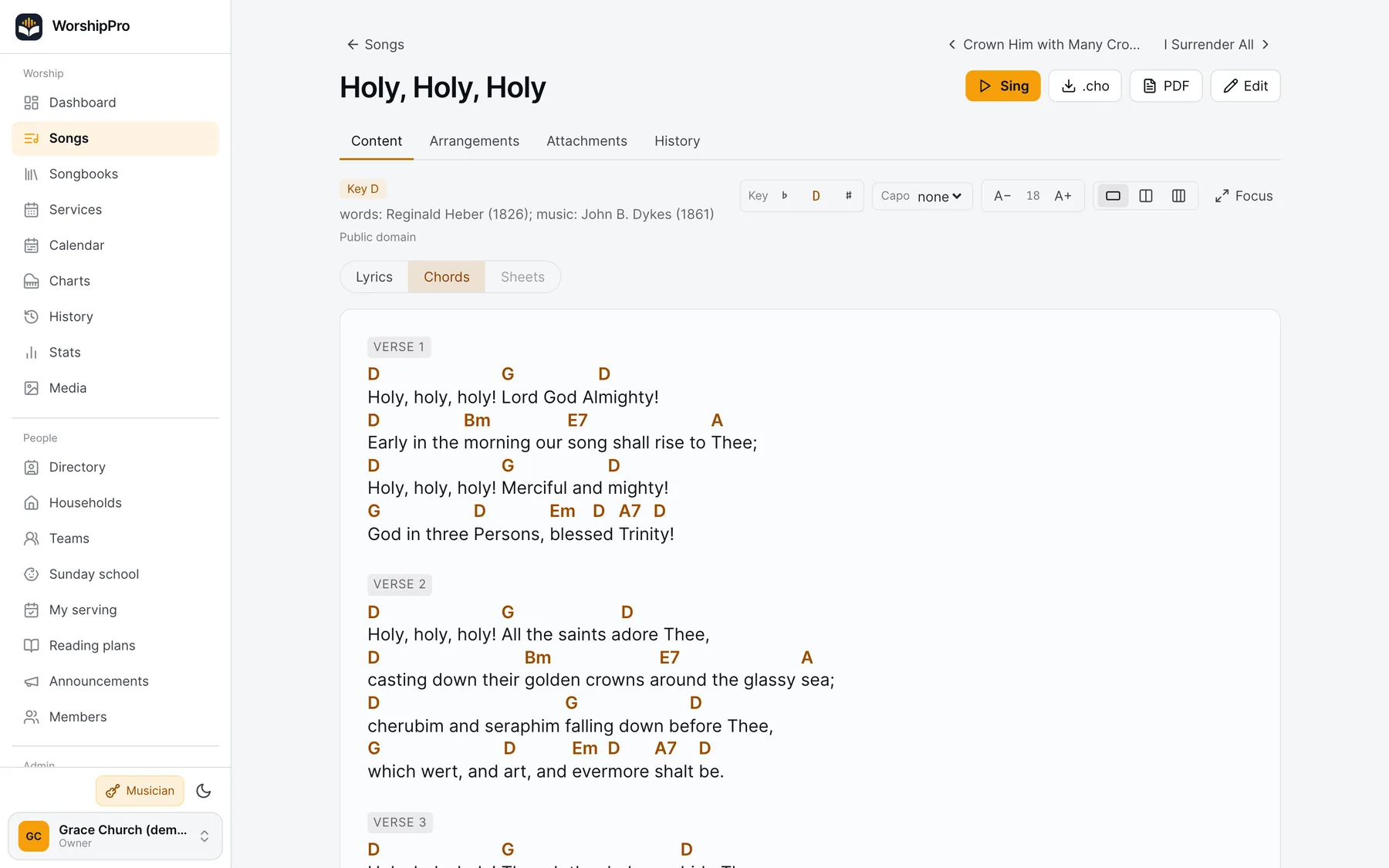
“Holy, Holy, Holy” with chords, transposition and capo

Service planning · web

An order of service the whole team can see

Build the plan from ready-made items: songs from the library, readings, the sermon, announcements and prayer. Every item has a length, and every song gets this Sunday's key and a note for the team. Once published, the plan is on the musicians' iPads and in the presentation app, so nobody copies a set list out of a group chat.

Example

Sunday at 10:00: welcome and prayer (5 min), three worship songs, Psalm 100, the sermon (30 min), a response song, announcements and the benediction. WorshipPro adds up the total time and the end time, and “Save as template” keeps the layout for the weeks ahead.

  • Add songs from the library next to the plan, with search and “Recently played”
  • Key, length and a team note on every item
  • Team roster, templates and duplicating plans
  • Stage mode straight from the plan
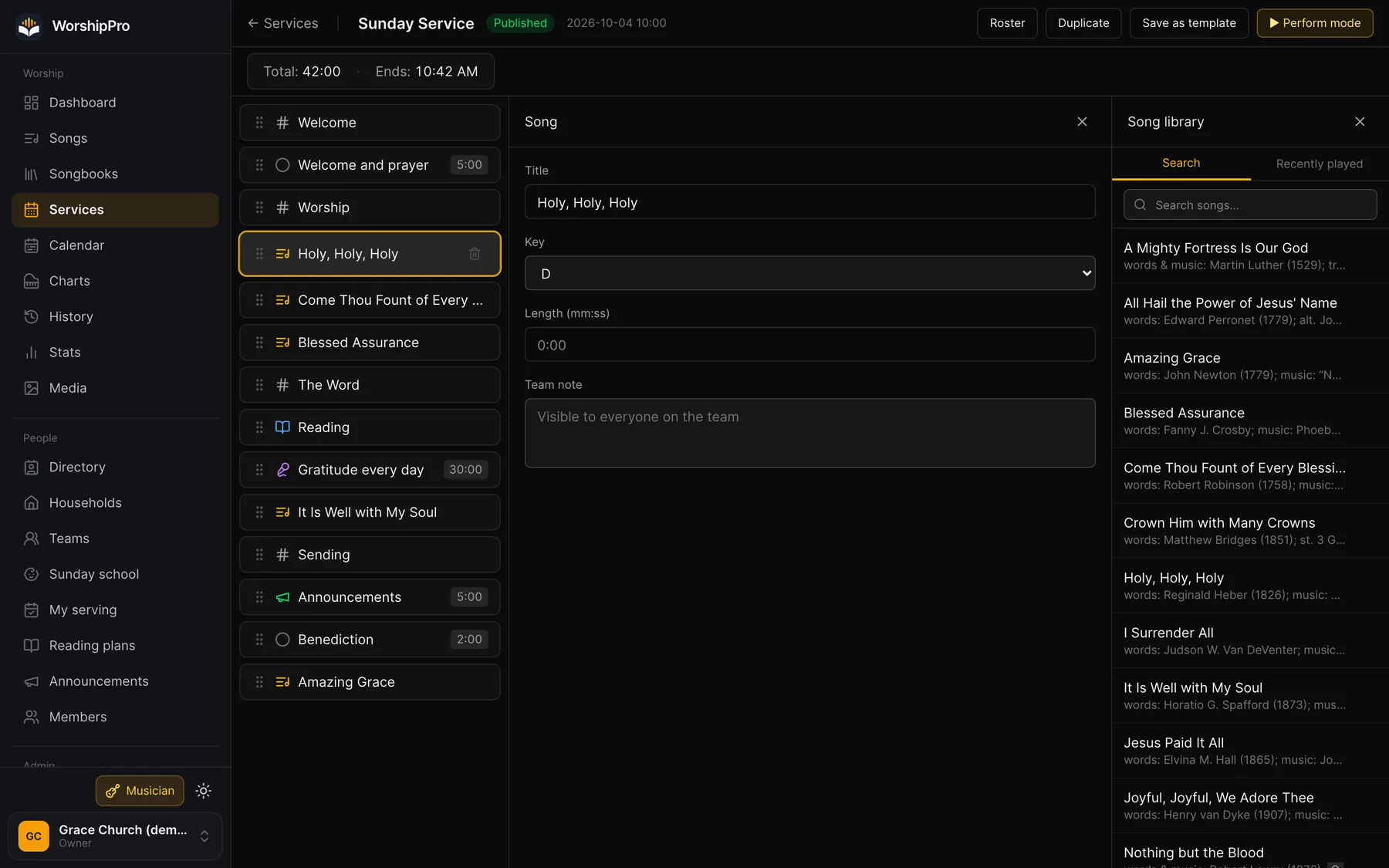
Editing a service plan: the items, the song form and the song library

Sheet music · iPad and iPhone

Sheet music that plays and transposes itself

Open any song as Lyrics, Chords or Score, including four-part (SATB) hymns. The score plays back and highlights the current bar as it goes. Transposing rewrites both the notes and the chord symbols in the new key, and harmonic analysis (T, S, D) shows the function under every chord.

Example

The choir sings “Amazing Grace” in G, but today the sopranos are more comfortable in F. One tap on the key and the whole score, chords above the staff included, is in F. The pianist hears the new key with the Perform button before rehearsal even starts.

  • SATB scores with playback and bar highlighting
  • Transpose notes and chords, with the original kept
  • Score editor: piano keyboard, MIDI input and templates
  • MusicXML import
A song's score on iPad with playback and transposition

Chords and band · iPad and iPhone

A chord chart and a band that plays along

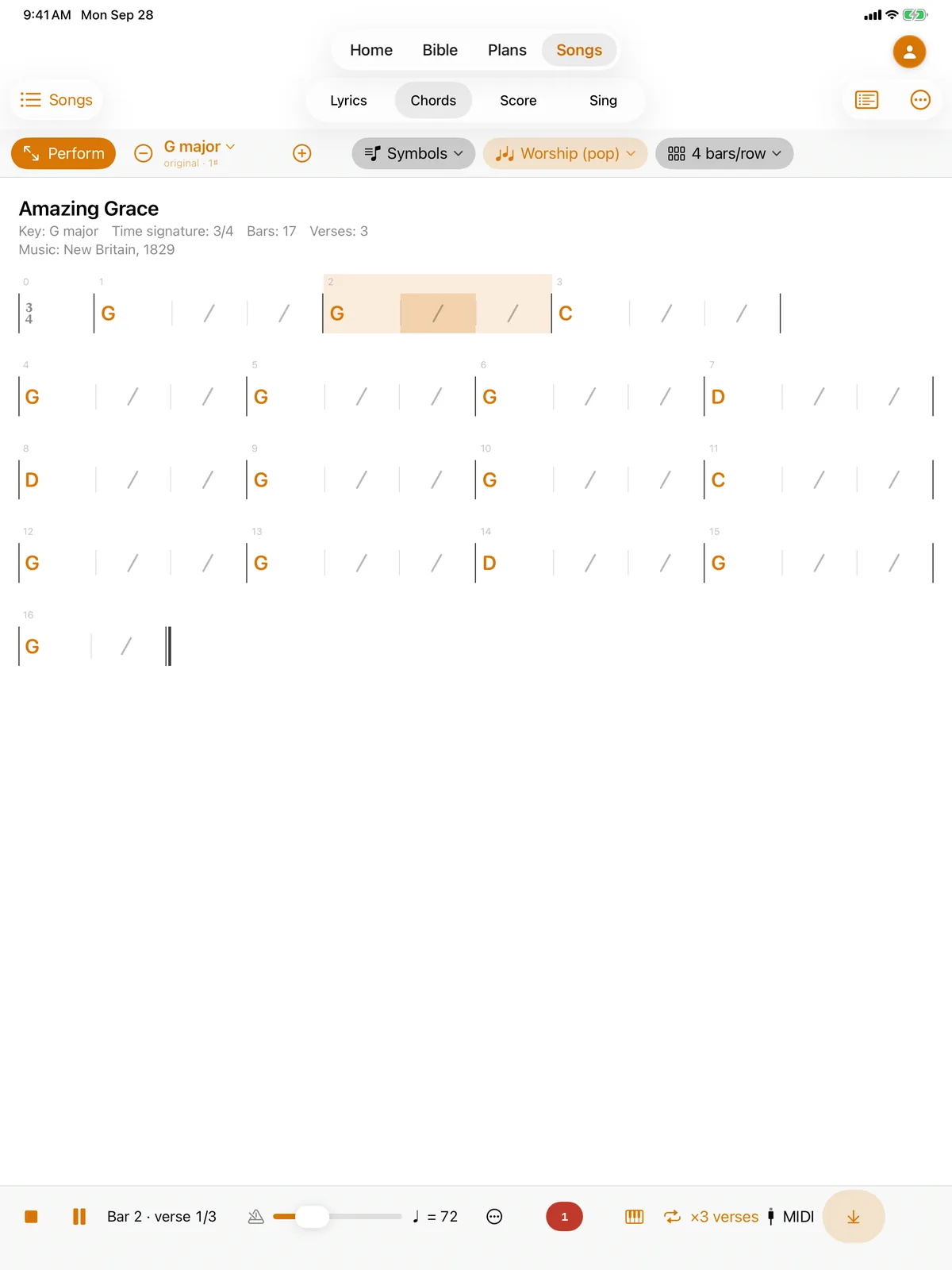
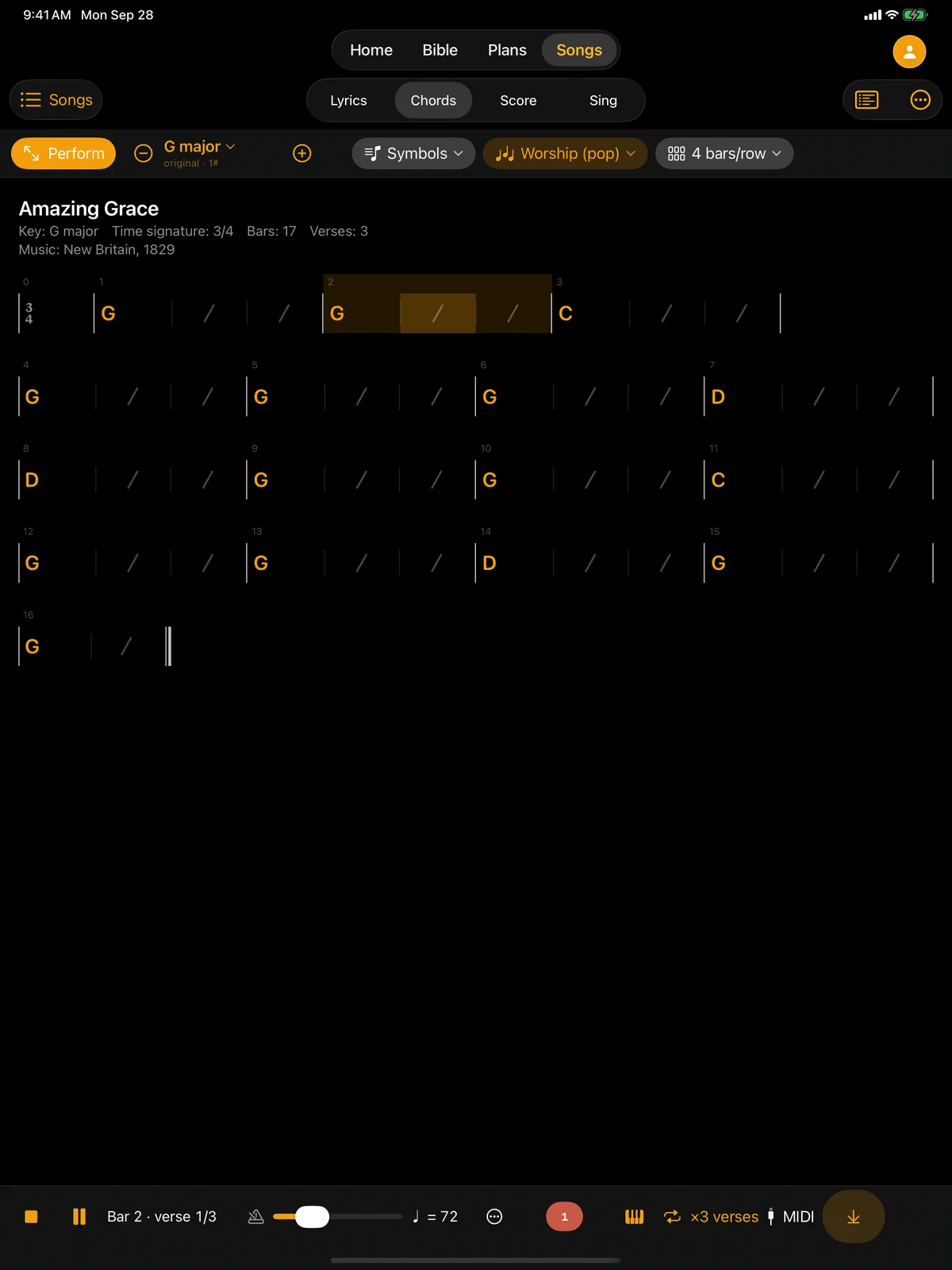
The Chords view shows the song's form as a grid of bars, the way iReal Pro does. Behind the play button there's a band: piano, bass, drums and strings in the style you pick, with an intro, verse repeats and an ending. Use it to practice at home, or at rehearsal when the bass player is away.

Example

A bass player is learning a new song: they pick the “Worship (pop)” style, tempo 72 and three verses, then play along with the piano and drums while the current bar lights up in the grid. The singer uses the Lyrics view of the same song, with chords.

  • Chord grid with iReal Pro import and export
  • Styles including ballad, worship, swing, gospel and bossa
  • Tempo, number of verses and a click
  • The same key in Lyrics, Chords and Score
A song's chord grid on iPad with the band accompaniment

Sing · iPad and iPhone

Lyrics that light up with the melody

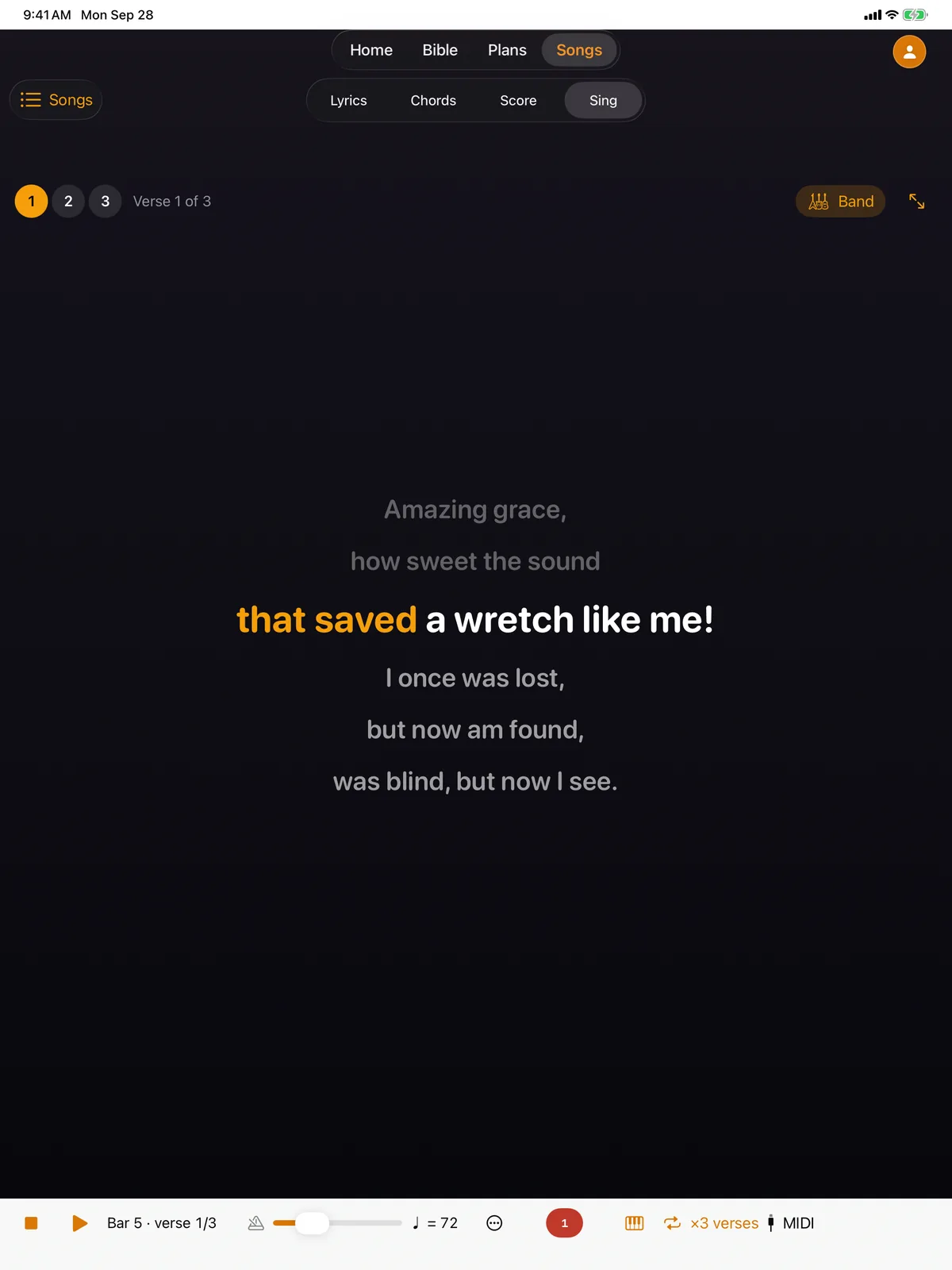
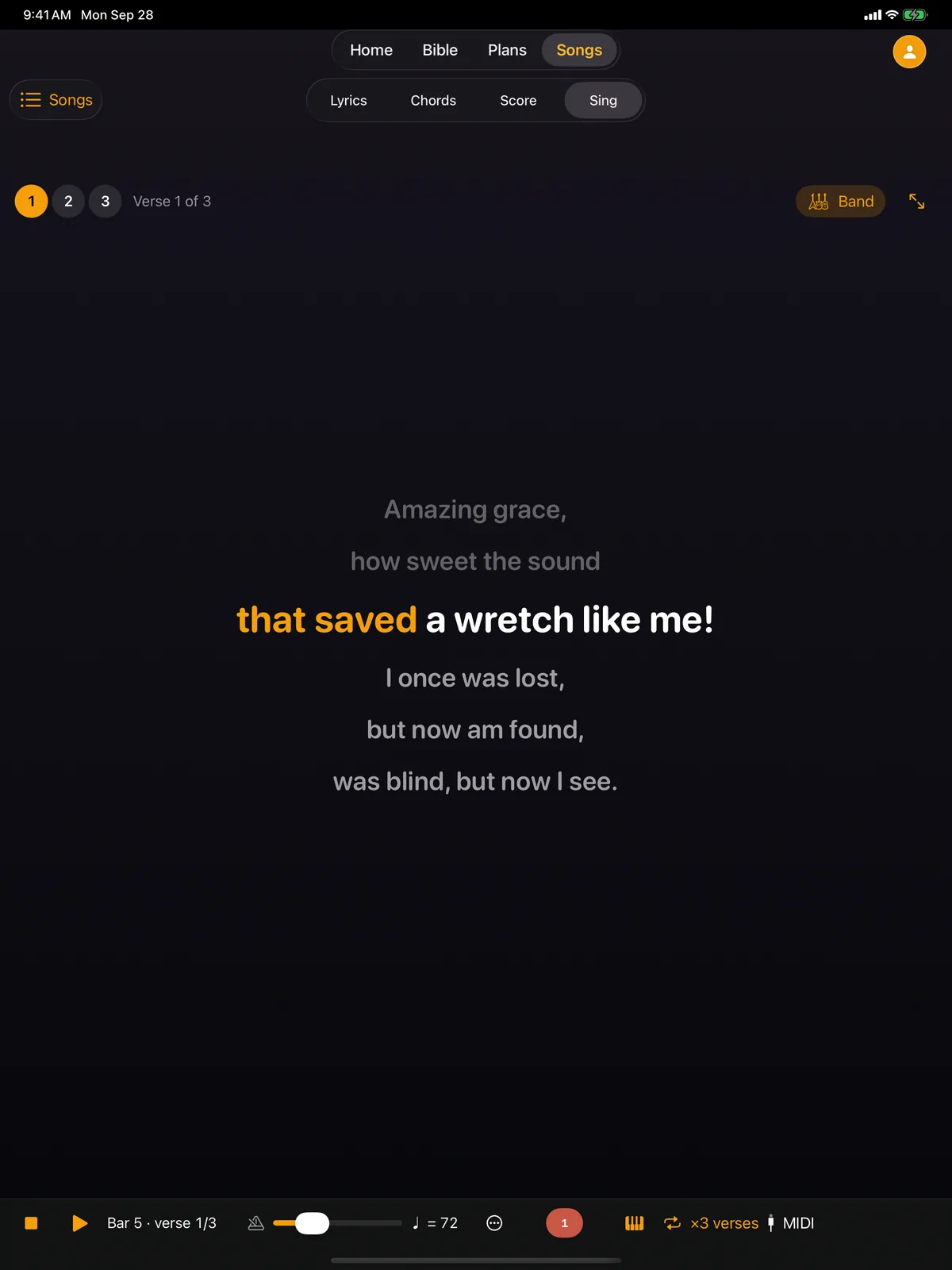
The Sing view shows a song line by line and highlights each syllable in time with the melody written in the score. It helps when you teach a congregation a new song, in Sunday school, and anywhere people don't read music but want to hit the tune.

Example

Before the service the team teaches the kids a new verse. On an iPad connected to the TV they start Sing with the band playing, and each syllable lights up exactly when it's time to sing it.

  • Syllables timed by the score, not by a clock
  • The band playing underneath
  • Pick a verse and go full screen
The Sing view: lyrics highlighted syllable by syllable

Presentation · Mac, Windows and Linux

Projector, stage display and remote from one app

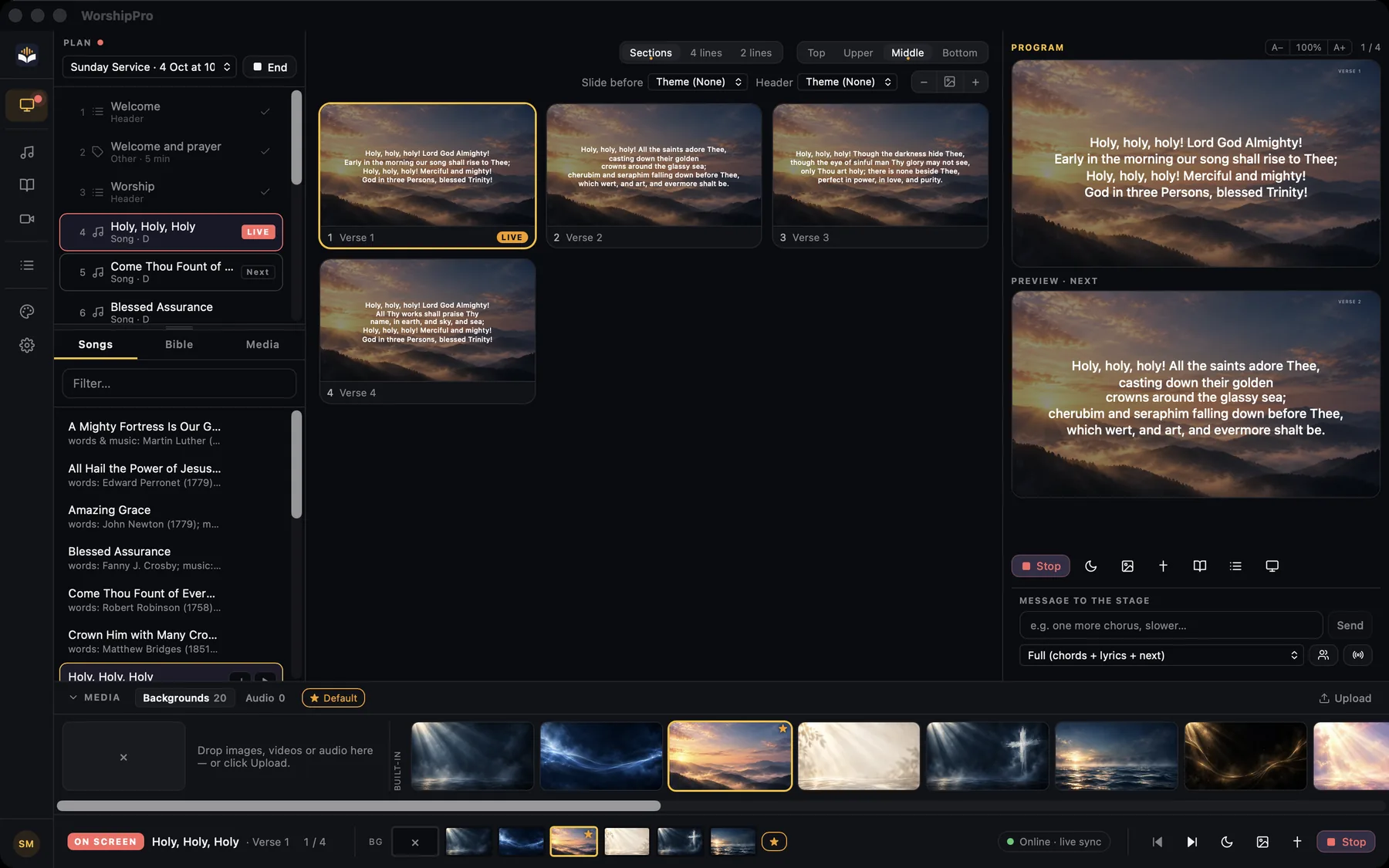
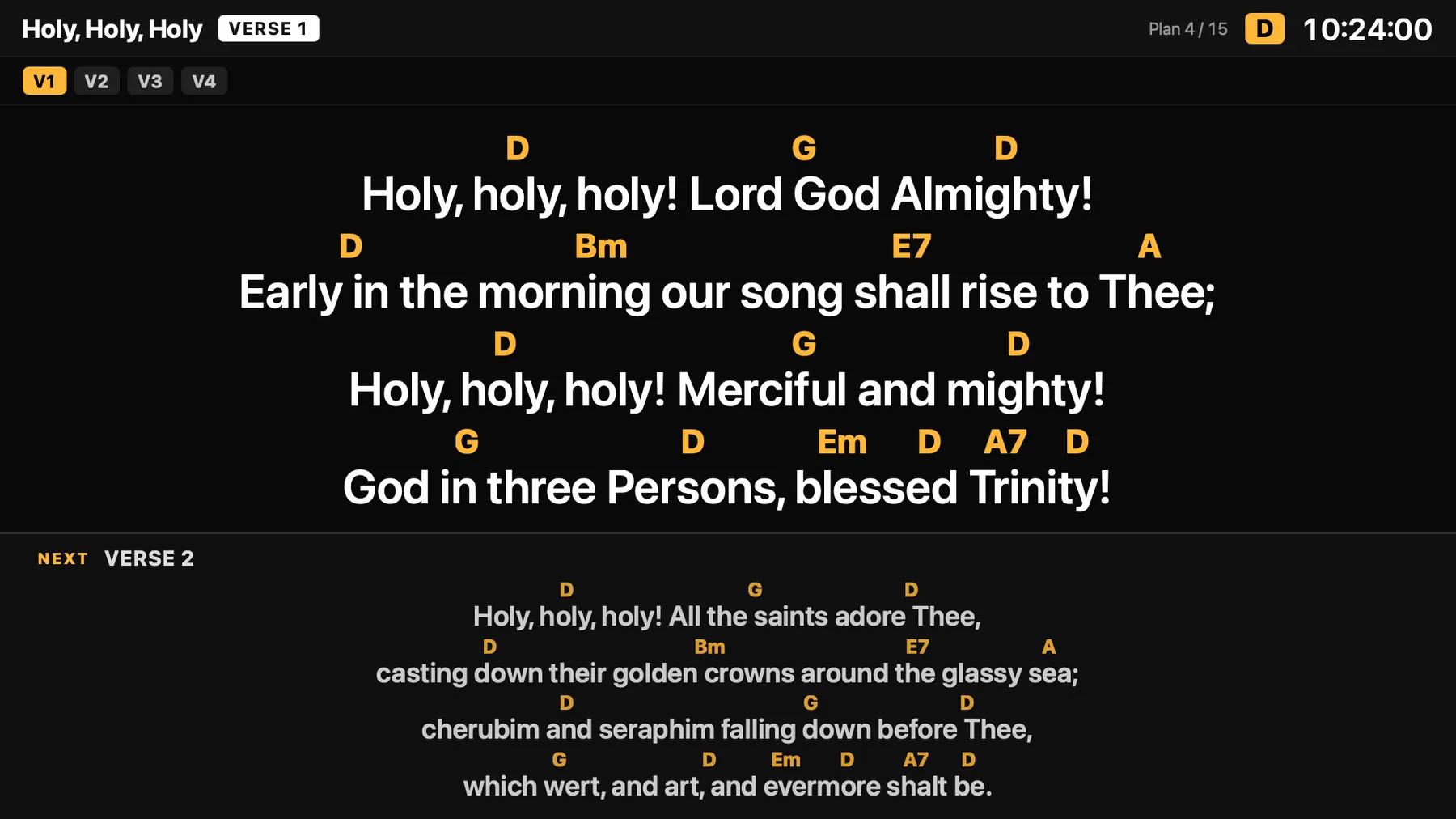
The desktop app takes the service plan and the songs straight from your library. The operator sees the order of service on the left, the current song's slides in the middle, and a preview of what's on screen and what's next. The band gets its own stage display with chords above the syllables and the next slide, and slides can be advanced from a phone.

Example

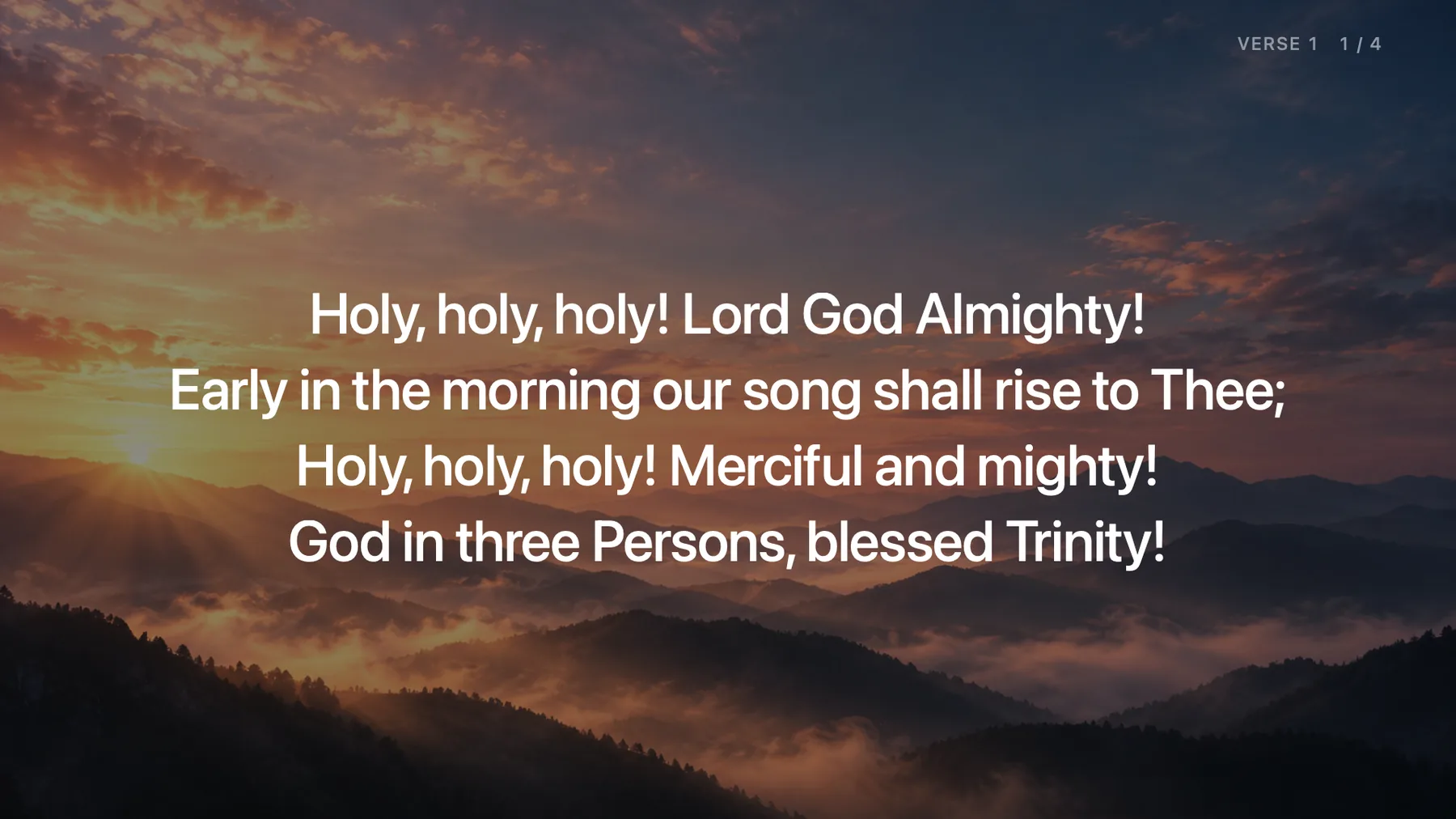
“Holy, Holy, Holy” starts: the operator clicks the first verse and the lyrics appear on the projector over a built-in background. On the stage display the musicians see the chords and what's coming next. During the sermon the operator types “Rom 12:1” and the verse is on screen in seconds.

  • Slide splitting per song: whole verses, 4 or 2 lines
  • Built-in backgrounds, your own photos and video
  • Offline Bible for scripture slides
  • CCLI footer, OBS and vMix captions, your phone as a remote
The presentation app: plan, song slides, program and preview
Song lyrics on the projector over a photo background
Projector
Stage display with chords above the syllables and the next slide
Stage display

Instead of three or four apps

One library, one plan, every device in sync

Many churches stitch Sunday together from a planning app, a presentation app, a chord-chart app and a shared drive. In WorshipPro they are one system — change a song once and everyone sees it.

  • Service plans and team schedulesUsually: A planning app with its own song listIn WorshipPro: Plans, templates, schedules and confirmations by link
  • Lyrics on the main screenUsually: A presentation app with another copy of every songIn WorshipPro: The same songs and plan, straight to the screen and stage display
  • Chords and charts for musiciansUsually: A chart app, PDFs and messages before rehearsalIn WorshipPro: Lyrics, chords and sheet music on each musician's iPad, in the right key
  • People, kids check-in and giving recordsUsually: Spreadsheets and a separate church databaseIn WorshipPro: Directory, Sunday school, check-in with labels and finance records

What's inside

Built for the whole week, not just Sunday morning

From the first chord chart to the last slide, WorshipPro covers the work worship teams and church offices actually do.

Song library

Every song written once in ChordPro — lyrics, chords, keys and song form in one shared, searchable library.

  • Transpose and set a capo in one tap
  • Song form, revision history and attachments
  • Import from OpenLP, OpenSong, SongSelect, ChordPro, ProPresenter 7, iReal Pro and MusicXML

Services and teams

Build service plans from templates, schedule your teams and let volunteers confirm with one link.

  • Plans, templates and run sheets
  • Teams, positions and schedules
  • Calendar and announcements

Sheet music and a band on iPad

Switch any song between Lyrics, Chords and Sheet music — including four-part SATB scores — and rehearse with a band that plays along.

  • Chord grid in the style of iReal Pro
  • Score editor with piano keyboard and MIDI input
  • Piano, bass, drums and strings in several styles

Presentation

The desktop app puts lyrics, Scripture and media on the main screen, with a separate stage display and an operator view.

  • Stage display and operator monitor
  • Any phone as a remote — no app to install
  • Lower thirds for OBS and vMix livestreams

Church administration

People and households, Sunday school and kids check-in, giving records and roles — in the same account as your songs.

  • Directory, households and people import
  • Kids check-in with printed labels
  • Roles, two-factor sign-in, several churches per account

Live sync

The whole team on the same page — literally

Start leading a song and share a code or QR. Every musician who joins follows along on their own iPad or iPhone, and edits to songs and plans reach every device within moments.

  • Follow the leader by code or QR
  • Changes to songs and plans show up right away on your computer, iPad and phone
  • Everyone keeps their own view: lyrics, chords or sheet music
Stage mode on iPad: lyrics with chords on the full screen

Made for the whole team

One platform for everyone who serves on Sunday

Worship leaders

Plan the set, pick the keys and lead the band — everyone follows the same song, in the right key, on their own screen.

Musicians and singers

Lyrics, chord charts or your SATB part on the iPad, transposed for you — and a band to practice with at home.

Tech and media

Run the main screen, stage display and livestream lower thirds from the desktop app, or step away and use your phone.

Pastors and church office

Services, calendar, announcements, the church directory and roles — without a separate church database.

Children's ministry

Sunday school groups and a check-in desk that prints name labels, with parents and guardians on record.

FAQ

Questions churches ask

Which devices does it run on?

The web app works in any modern browser. The iPhone, iPad and Android app is for musicians and leaders, and the desktop app runs your presentation on Mac, Windows and Linux. The remote works in any phone's browser — nothing to install.

Is WorshipPro available in English?

Every app — web, iPhone and iPad, Android and desktop — is in English and Polish. Your songs and plans always appear exactly as you write them.

Can I bring my existing songs?

On the web, drop in files from OpenLP (OpenLyrics), OpenSong, SongSelect (.usr, ChordPro or lyrics text), ChordPro or plain chords-over-lyrics text — many at once or as a .zip — and ProPresenter 7 files. On iPad you can import iReal Pro charts and MusicXML scores.

Does WorshipPro support CCLI?

Yes. Add your CCLI license number in church settings and the desktop app shows the copyright line — author, ©, CCLI Song # and your license number — on the first or last slide of each song. A CCLI report (CSV) lists every song you projected with its CCLI number and play count, ready to enter in CCLI’s reporting portal. There’s no automatic submission, because CCLI doesn’t offer that to us.

Which Bible translations are included?

The King James Version and the World English Bible (both public domain), plus Polish translations. On top of that there is a catalog of over a thousand translations in more than 700 languages that you download in the app. Bibles work offline on iPad and in the desktop app.

Where is our data stored?

On a server in Poland, in the EU, under the GDPR. Each church's data is kept separate in the database, access depends on each person's role, and we don't use analytics or advertising trackers.

Is there an Android app?

Yes. The app for Android phones and tablets is on Google Play: song lyrics and chords, service plans and the Bible, on the same data as the iPhone app. Any phone can also act as the presentation remote.

Get your team ready for Sunday

Create your church, invite your team and add your first songs — in a few minutes.

Web, iPhone & iPad, Android, Mac, Windows, Linux

    WorshipPro — songs, services and presentation for your church